
How do I get an invoice or receipt?
Updated 2026-08-15
Question
I need a receipt for my Premium payment.
Every successful payment generates a receipt automatically.
- Check your email first. Stripe emails a receipt to the address used at checkout right after each charge — search your inbox for "MagicTrip" or "Stripe receipt". Don't forget the spam folder.
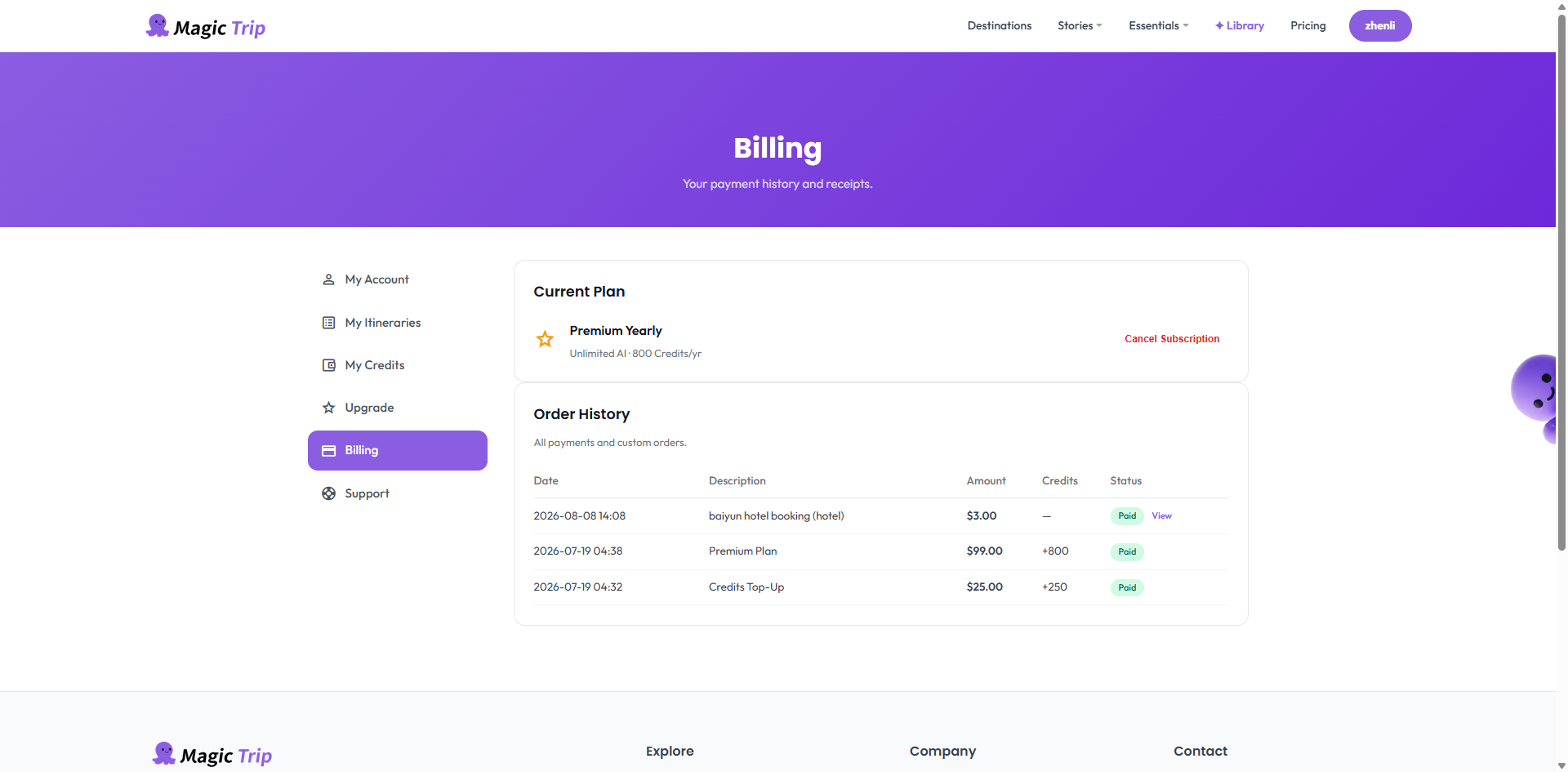
- Download from Billing. Sign in → Account → Billing → invoice history. Each entry links to a downloadable PDF receipt.
- Wrong email on the receipt? The receipt goes to the email entered during checkout — update your billing email in the same Billing area (Stripe portal) so future receipts land correctly.
- Still can't find it? Email hello@magictrip.my with your account email and payment date — we'll resend the receipt.
Tip: Need a VAT-style invoice for business reimbursement? Include your company details in the support email and we'll issue one.