
How do I generate an itinerary from a chat with Biubiu?
Updated 2026-08-19
Question
When does the Generate Itinerary button appear and what does it do?
- Chat with Biubiu about your trip. The ✨ Generate Itinerary button sits at the bottom of the chat window, below the anchor bar.
- While you're still early in the conversation the button stays gray — Biubiu needs enough context (destination, dates, preferences) to build a real plan.
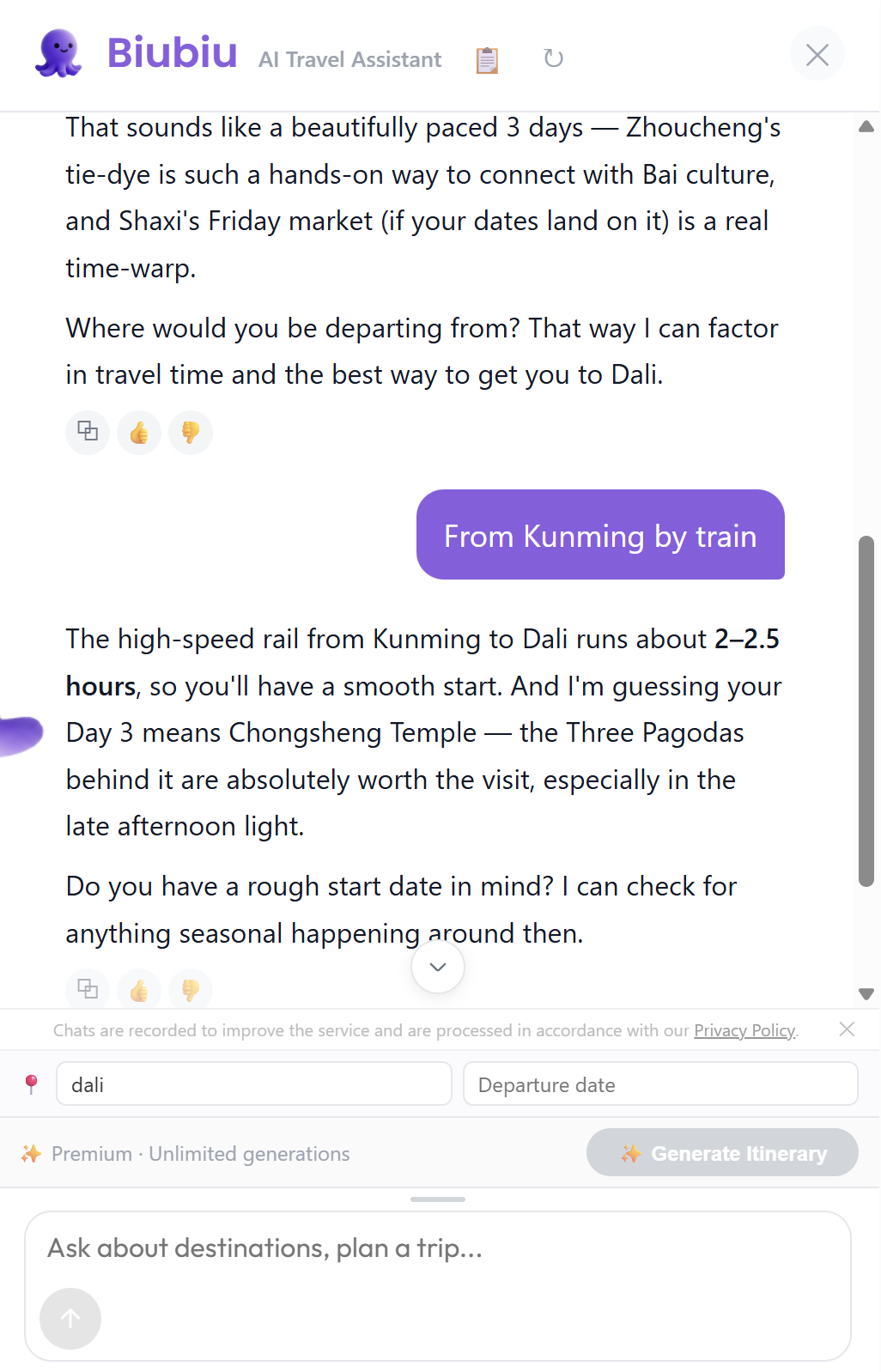
- Once enough is shared, the button lights up. Click it.
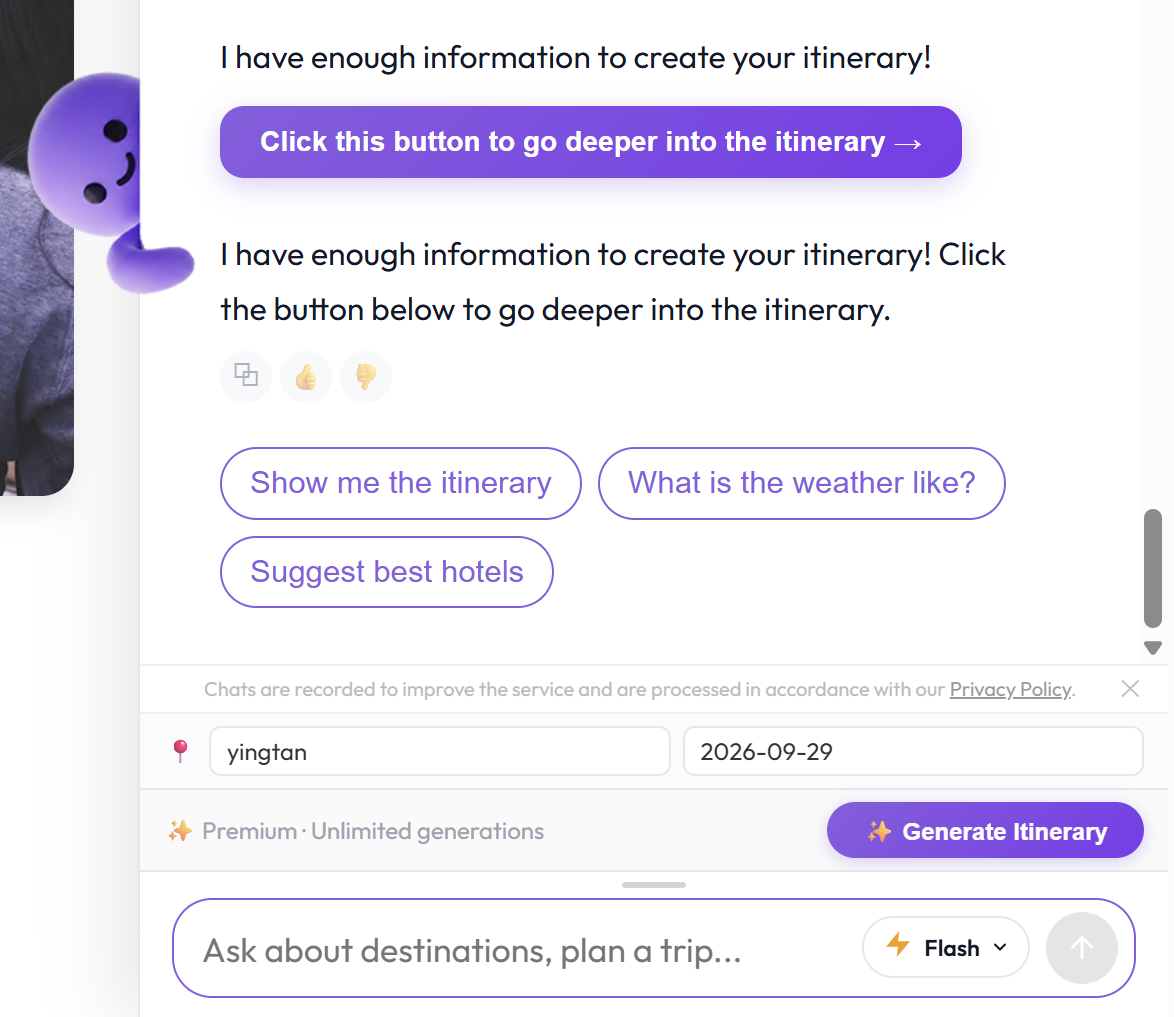
- Biubiu summarizes your requirements and generates a structured day-by-day itinerary — attractions, meals, and travel tips, saved to your account.
What it costs:
- Free plan: 1 of your 5 monthly generations (see How are AI generation counts calculated).
- Premium: unlimited.
Note: Generating an itinerary is the only action that consumes a generation. Normal chat questions are unlimited on every plan.
See the whole flow
From the first message to a complete plan — the complete conversation, from greeting to a finished itinerary:
A closer look at the generate step: